Reviews
Friendly Rivalry Party Arcade is a fantastic choice for game nights. The simple controls make it easy for anyone to join, while the dynamic stages and silly power-ups keep each match fresh. The focus on positioning and timing over speed ensures that players of all skill levels can compete. Highly recommended for family fun.
Description
Game Introduction
Friendly Rivalry Party Arcade is a bright and engaging local multiplayer arcade game designed for game nights and family fun. It transforms classic contest gameplay into a lighthearted strategic competition where quick thinking and clever movement matter more than fast reflexes. Up to four players compete in dynamic stages, using environmental obstacles and silly power-ups to outmaneuver opponents. Every match feels fresh and unpredictable, ensuring hours of laughter for players of all skill levels. The game emphasizes positioning and timing over speed, making it accessible for everyone.
How to Play
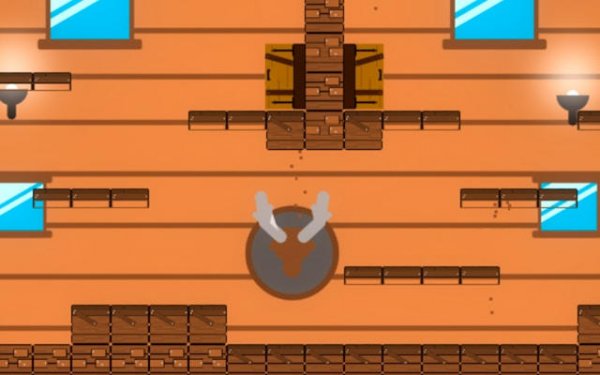
Each player controls their character using simple movement and action keys on a shared keyboard. The goal is to position yourself to tap an opponent from behind to score a point while protecting your own back. Use pillars and platforms as cover to hide movements or surprise opponents with quick direction changes. Power-up orbs appear across the stage, offering temporary advantages like slowing other players to help set up your next move. The controls are easy to learn, allowing new players to join quickly.
Game Features
Features include 2-4 player local play for shared screen fun. Dynamic stages with obstacles that change the flow of each match. Silly power-ups that add unpredictable twists and keep gameplay fresh. Simple controls that make it easy for new players to join. The game is designed for repeated play with friends and family, offering variety through different stage layouts and power-up combinations.
Tips for Success
Focus on positioning and timing rather than speed. Use the environment to your advantage by hiding behind obstacles and planning ambushes. Keep an eye on power-up spawns to gain an edge. Practice reading opponent movements to predict their next step, and stay patient—rushing often leads to mistakes. With practice, you will improve your strategic thinking and reaction timing.










03 Comments
Sign in to comment
You must be logged in before posting a review or rating.
No account? Create one
No comments yet. Be the first to comment!