Reviews
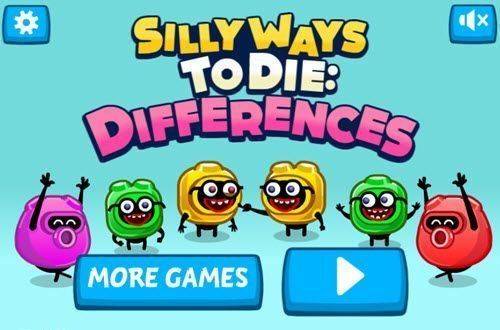
Playful Pals Observation Challenge stands out for its polished cartoon art and thoughtful difficulty progression. The timer adds just enough tension to keep you focused without causing frustration. Hints are generous but limited, encouraging strategic use. The lack of ads during gameplay is a welcome touch. While the core mechanic is simple, the variety of scenes and subtle mismatches provide lasting appeal. A solid choice for casual puzzle fans.
Description
Visual Hunt Mechanics
Each level presents two nearly identical cartoon illustrations placed side by side. Your task is to locate the small discrepancies between them. These may include a missing hat, a color swap on a character’s shirt, or a background object that has shifted position. Marking a correct find adds to your score and reduces the number of remaining differences. The game rewards careful scanning rather than random tapping, encouraging a methodical approach.
Scene Variety & Difficulty Curve
The cartoon worlds range from a sunny park to a busy kitchen, each filled with quirky details. Early levels contain only a few obvious mismatches, allowing newcomers to get comfortable with the gameplay. Later stages introduce more subtle alterations and additional differences per scene, gradually increasing the challenge. This progression keeps the activity engaging without becoming overwhelming.
Timer & Scoring System
A countdown clock adds a light pressure to each round. Finding all mismatches before time expires completes the level, while leftover differences cause a restart. Points are awarded based on speed: the quicker you spot a mismatch, the higher the bonus. This system rewards both accuracy and efficiency, giving each playthrough a slight competitive edge against your own previous scores.
Hint Assistance & Accessibility
If you get stuck on a particularly tricky difference, a hint button highlights one remaining mismatch. Hints are limited per level, so using them wisely preserves your score potential. The interface is designed with large, clearly labeled buttons and straightforward touch controls, making it accessible for younger players and those less familiar with puzzle games.
Family-Friendly Visual Style
The art direction uses bright, saturated colors and rounded character designs that convey warmth and humor. No scary or intense imagery appears, ensuring a comfortable experience for children and adults alike. The cheerful soundtrack and soft sound effects for correct finds create a relaxed atmosphere, reinforcing the game’s casual nature.



03 Comments
Sign in to comment
You must be logged in before posting a review or rating.
No account? Create one
No comments yet. Be the first to comment!