Reviews
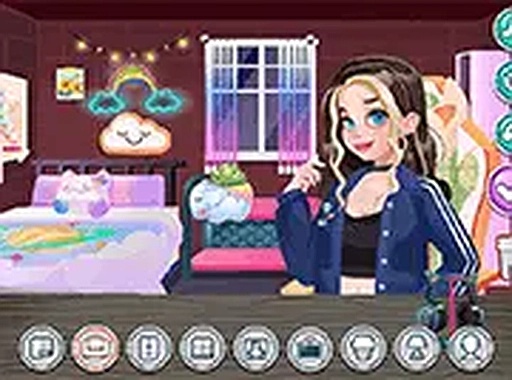
Personal Broadcast Room Creator offers a refreshingly stress-free design experience. The item library is varied enough to support many themes, from cozy bedrooms to futuristic studios. The character editor adds an extra layer of personalization, letting you match the streamer's look to the room. Controls are responsive on both desktop and mobile, and the save feature works reliably. It is a solid choice for anyone who enjoys interior design or character customization without the pressure of timers or scores.
Description
Room Layout & Decoration
Start with a blank room and select from several layout options. Each layout provides a different foundation for your design. From there, browse categories of furniture, wall treatments, flooring materials, and decorative items. The interface allows you to drag each piece into the room, rotate it, and adjust its size. You can remove any item with a simple tap. The system gives you immediate visual feedback, so you can see how each choice affects the overall look.
Streamer Persona Customization
After finishing the room, switch to the character editor. Here you can change the streamer's hairstyle, clothing, and accessories. The goal is to create a look that matches the room's theme. For example, a cozy bedroom setup might pair well with casual attire, while a high-tech studio could call for a more modern outfit. Experiment with different combinations to find what feels right.
Creative Freedom Without Pressure
This game is designed for relaxed play. There are no timers, scores, or objectives to meet. You can spend as much time as you like exploring the item library and trying out different arrangements. The undo feature lets you revert any change, so you can take risks without worry. This makes it a good choice for players who enjoy creative expression without stress.
Cross-Platform Accessibility
The game runs in a standard web browser and works on both desktop computers and mobile devices. Controls are adapted for touch screens, making it easy to use on tablets and phones. There is no need to download or install anything. The experience remains smooth across different screen sizes, so you can pick up where you left off on any device.
Building a Cohesive Theme
A key part of the game is creating a unified look. Think about the streamer's personality and choose a theme that reflects it. For instance, a nature-inspired room might use green walls, wooden furniture, and plant decorations. Then match the streamer's outfit to that theme. Small details like lighting and accent pieces can tie everything together. The game encourages you to try bold color combinations and unusual furniture pairings.









03 Comments
Sign in to comment
You must be logged in before posting a review or rating.
No account? Create one
No comments yet. Be the first to comment!