Mini Skin Doctor Kids Game
Reviews
💡Mini Skin Doctor offers a refreshing take on health education. The variety of tools keeps each session interesting, and the simple controls make it accessible for young players. It teaches cause and effect in a safe environment, encouraging gentle care. The game has good replay value as kids experiment with different treatments. A solid choice for family-friendly learning.
Description
Game Introduction
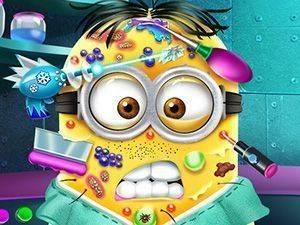
Mini Skin Doctor Online Game Kids Game invites you into a whimsical lab where a character named Mini needs help with skin problems caused by wild experiments. You take on the role of a caring doctor, using a variety of tools to treat and soothe Mini's skin. From advanced lasers that target breakouts to gentle spa masks that calm irritation, each tool teaches a different aspect of skin care. The game is designed to be both fun and educational, making it ideal for children and anyone curious about how treatments work. Every session offers a new chance to explore and learn, with no rush or pressure.
How to Play
Start by selecting a medical tool from the lab using your mouse or touch screen. Click on the laser to treat skin breakouts, or choose a spa mask to calm the skin. Follow the on-screen hints to apply each treatment correctly. Each tool has a specific purpose, so try different ones to see what works best for Mini. Complete each step to help Mini feel better. The controls are simple and intuitive, making the game easy for all ages to enjoy.
Game Features
Fun medical tools like cool lasers and spa masks. Educational skin care lessons presented in a playful way. Easy controls suitable for kids and families. Interactive lab environment that encourages exploration. Safe, non-violent content that promotes positive habits.
Tips for Success
Pay attention to the on-screen hints to use each tool correctly. Experiment with different tools to learn how they affect Mini's skin. Take your time—there is no time limit, so you can explore freely. Practice regularly to become more familiar with the treatments. Remember that each tool has a specific purpose, so using the right one for each problem will help Mini feel better faster.
Compatibility
Faq
Is this game free to play?
What age group is this game suitable for?
Do I need to download anything to play?
Can I play this game on a mobile device?
Are there any ads in the game?
Does the game require an internet connection?
You May Also Like

Princess Tandem Dress Up
Ice Queen Back Treatment Doctor Game

Princess Dress Up Balloon Festival

Christmas Mall Shopping Simulator

Princess Summer Vacation Dress Up

Annie's Tailor Course Creative Fashion Game

Twins Winter Fun Puzzle

Super Hero Dress Up

Valentine Puzzle Challenge