Festive Pong Challenge
Reviews
💡Festive Pong Challenge successfully combines the timeless gameplay of Pong with a warm holiday theme. The two-player mode is great for family gatherings, while the increasing ball speed keeps matches exciting. Controls are responsive and easy to learn. A charming choice for casual holiday entertainment.
Description
Game Introduction
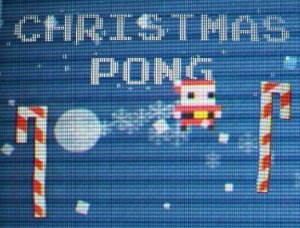
Festive Pong Challenge captures the timeless appeal of the original paddle-and-ball game while adding a cheerful holiday atmosphere. The core objective remains simple: two paddles, a bouncing ball, and the goal of scoring by hitting the ball past your opponent. This version features festive decorations and a warm color palette that evokes the holiday season. Players can choose to compete against a computer opponent in single-player mode or challenge a friend in two-player local multiplayer. The score is displayed clearly at the top of the screen, keeping each match easy to follow. With its straightforward mechanics and joyful theme, Festive Pong Challenge is an excellent choice for a short, entertaining break during the holiday season.
How to Play
Getting started is easy. In single-player mode, you control your paddle using the up and down arrow keys. In two-player mode, one player uses the arrow keys and the other uses the W and S keys. The goal is to hit the ball with your paddle and send it past your opponent's paddle to score a point. The first player to reach the target score wins. As the match continues, the ball speed gradually increases, adding a layer of challenge. The score is always visible at the top of the screen, so you can track the action easily. Whether playing alone or with a friend, the game offers a fun and engaging experience.
Game Features
Classic Pong gameplay with a festive holiday theme. Two game modes: single-player against AI and two-player local multiplayer. Simple keyboard controls using arrow keys and W/S keys. Real-time score tracking displayed at the top of the screen. Increasing ball speed for added challenge as the match continues.
Tips for Success
To succeed in Festive Pong Challenge, practice keeping your paddle centered to react quickly to the ball's direction. Anticipate the ball's trajectory and move early, especially as speed increases. In two-player mode, communicate with your partner to avoid confusion. Stay calm during long rallies and focus on consistent returns. With patience and practice, you'll improve your reflexes and enjoy the game even more.
Compatibility
Faq
Can I play Festive Pong Challenge on mobile devices?
Is there a time limit for each match?
Does the game have sound effects or music?
Can I change the difficulty of the AI opponent?
Is there a way to pause the game during a match?
Does the game support gamepad controllers?
You May Also Like

Catch The Balls Sports Game

Street Basketball 3v3 Sports Game

Hoop World: Flip Dunk 3D Basketball

Arcade Puzzle Playground

Endless Golf Arcade Sports Game

Three Point Basketball Arcade

Cube Runner Arcade Stacker

Curve Turn Arcade Game

Goalie Reflex Challenge